

CatalogRack by DCi
Unfortunately, there’s no automatic export, so you’ll have to download data manually and upload it to our folder.
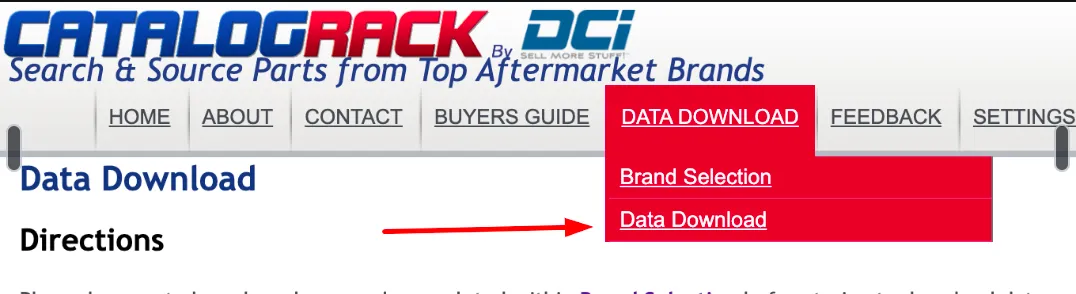
- Open your DCi dashboard and select “Data Download” -> “Data Download”
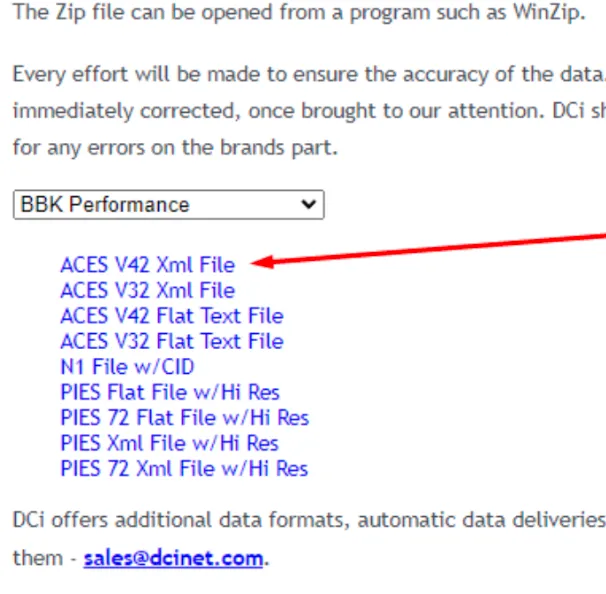
- Select the needed brand.
- Download the ACES V42 XML File:
- Contact us at team@convermax.com and we will provide you with a link to the Google folder to upload the files.